# Courses
**My courses** is the employee portal. It does not show the admin sidebar. The person who is signed in sees only their own courses. Open it from the bottom of the sidebar when you need to tell someone where their assigned course is.
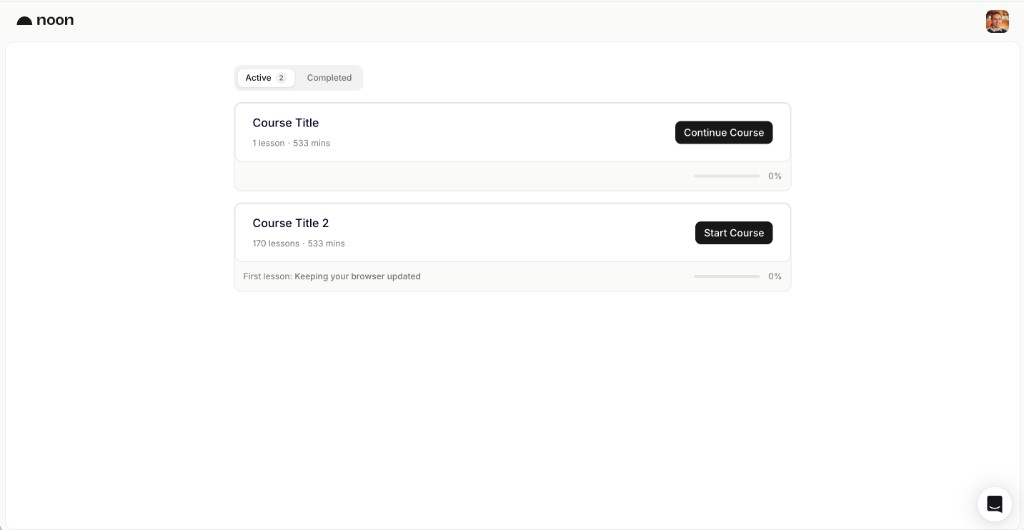
**Active** shows courses still to do. A course that has not been started shows **Start course**. A course already in progress shows **Continue course**. **Completed** lists courses that are finished, each marked _Passed_ or _Failed_.
## Active
Each course shows its name, how many lessons it has, and how long it takes. A course that has not been started shows **Start course** and **First lesson:** followed by the lesson name. A course already in progress shows **Continue course** and **Next lesson:** followed by the lesson name. A course an admin has paused shows _Paused_ and cannot be opened until it resumes. The bar on the card is how much of the course is done, as a percent.
## The course
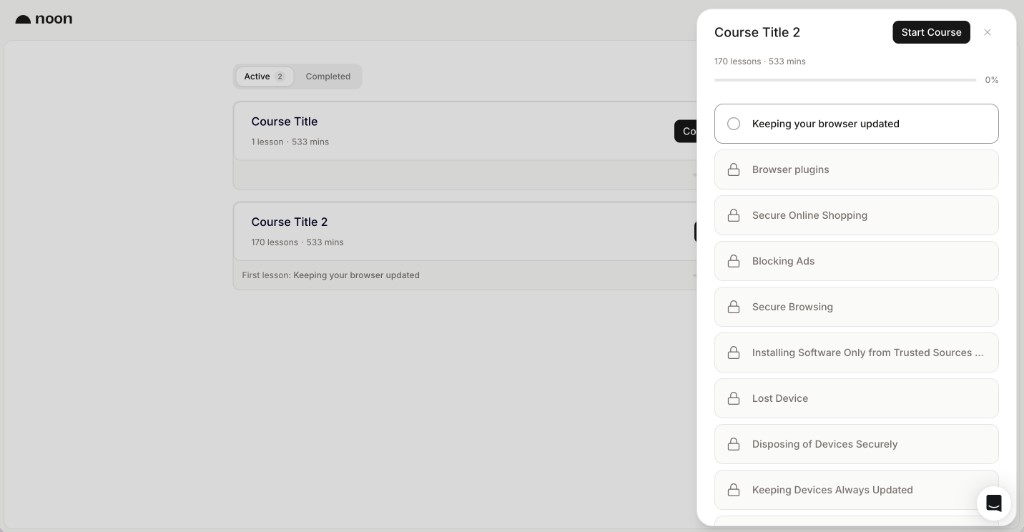
Click a course to open it. It opens on the right, with **Start course**, how many lessons it has, how long it takes, and the percent done. The lessons are listed in order.
**Start course** or **Continue course** opens the lesson. **×** closes the course.
## A lesson
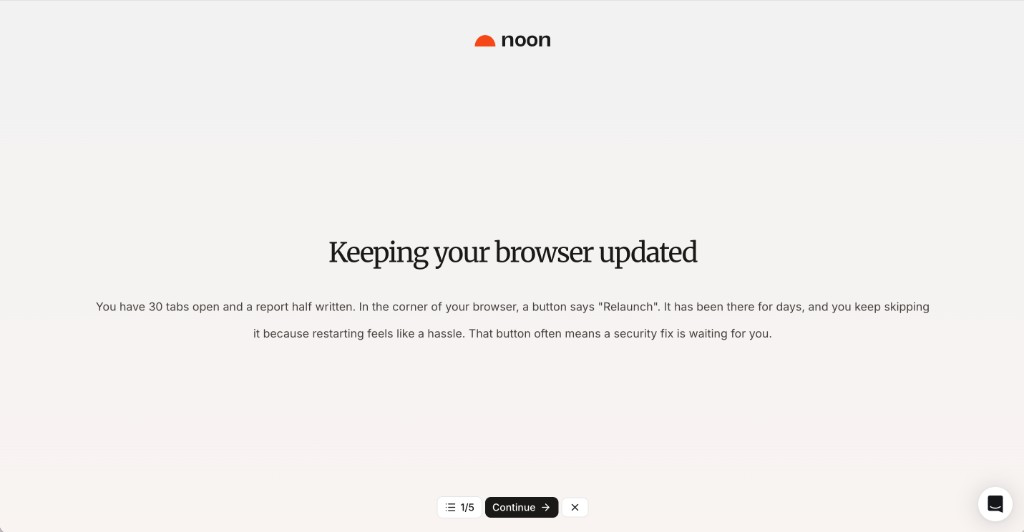
A step is text, or a quiz. The lesson shows which step this is, such as **1/5**, and **Continue**. **Continue** moves to the next step. **×** closes the lesson.
The employee answers the quiz before the lesson moves on.
A passed lesson confirms **Lesson passed.** A lesson that was not passed confirms **Lesson not passed.** After the last lesson, Noon shows **Course complete!** with the score, and **Go to dashboard**.
## Completed
**Completed** lists courses that are finished. Each row shows when it was completed, and _Passed_ or _Failed_.
You assign courses from [Courses](https://help.noon.security/train/courses). The lesson that follows a phishing simulation is described in [What employees see](https://help.noon.security/train/phishing-simulations/what-employees-see).