# Report a phishing email
If an email looks wrong, report it to Noon. Don't click its links, open its attachments, or reply to it. Your company's admins get the report and check the message.
## Report from the banner
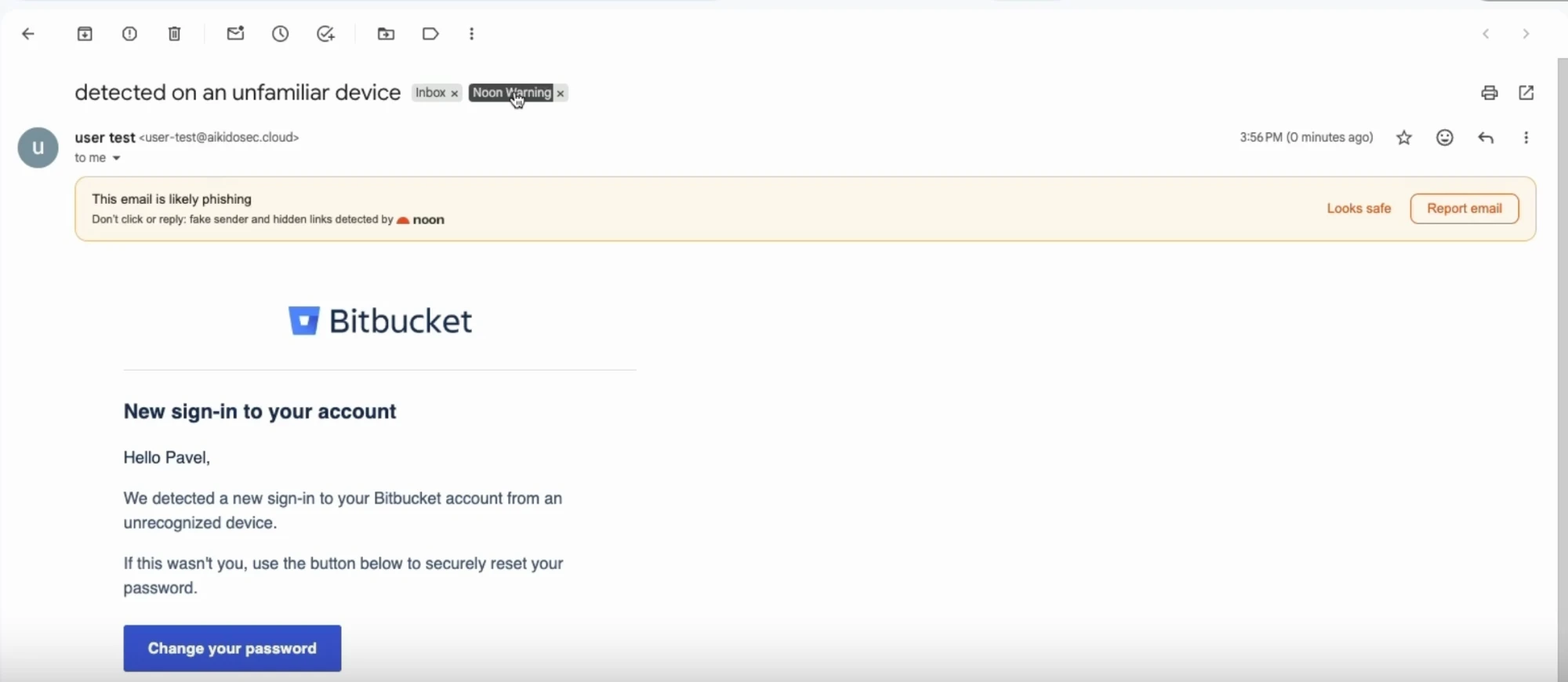
Noon adds a banner to an email it thinks is phishing. Click **Report email** on the banner.
## Use the report button when there is no banner
An email can look wrong without a banner. Report it with the Noon Security report button in Gmail.
{% columns %}
{% column %}
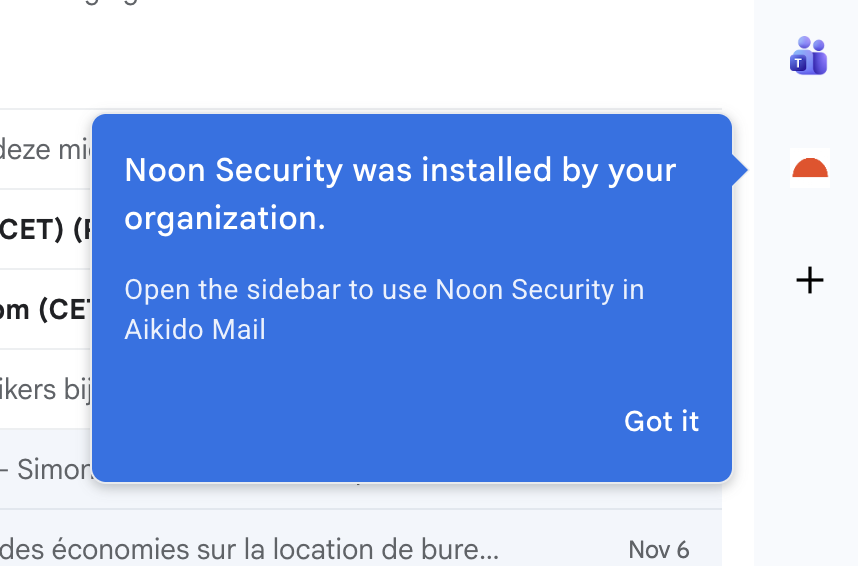
The first time, Gmail says **Noon Security was installed by your organization**. Click **Got it**. The Noon Security icon stays in the Gmail side panel.
{% endcolumn %}
{% column %}
{% endcolumn %}
{% endcolumns %}
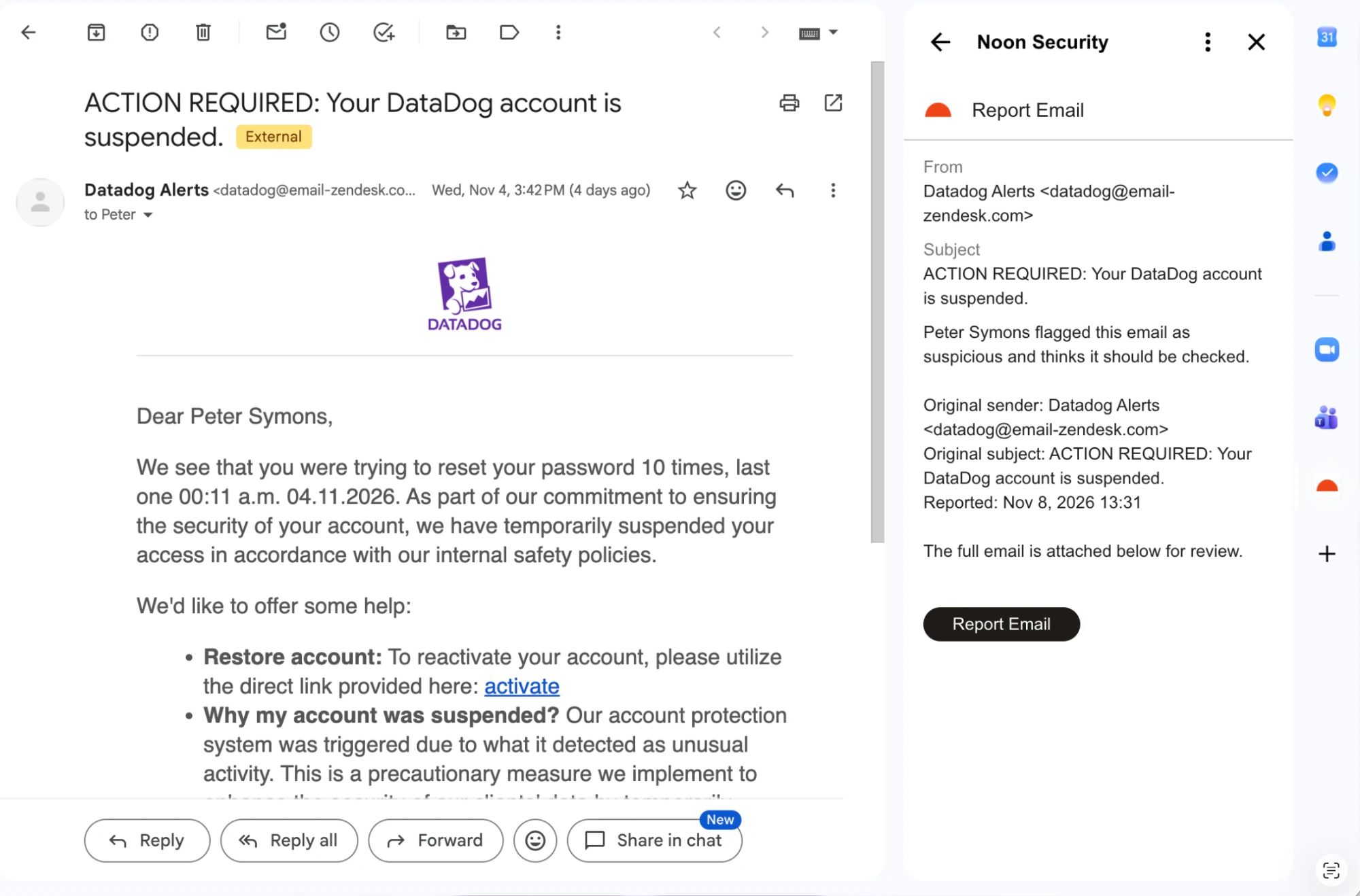
1. Open the email.
2. Click the Noon Security icon in the Gmail side panel.
3. Click **Report Email**.
Noon sends the full email to your admins to review and shows **Thanks for reporting**.