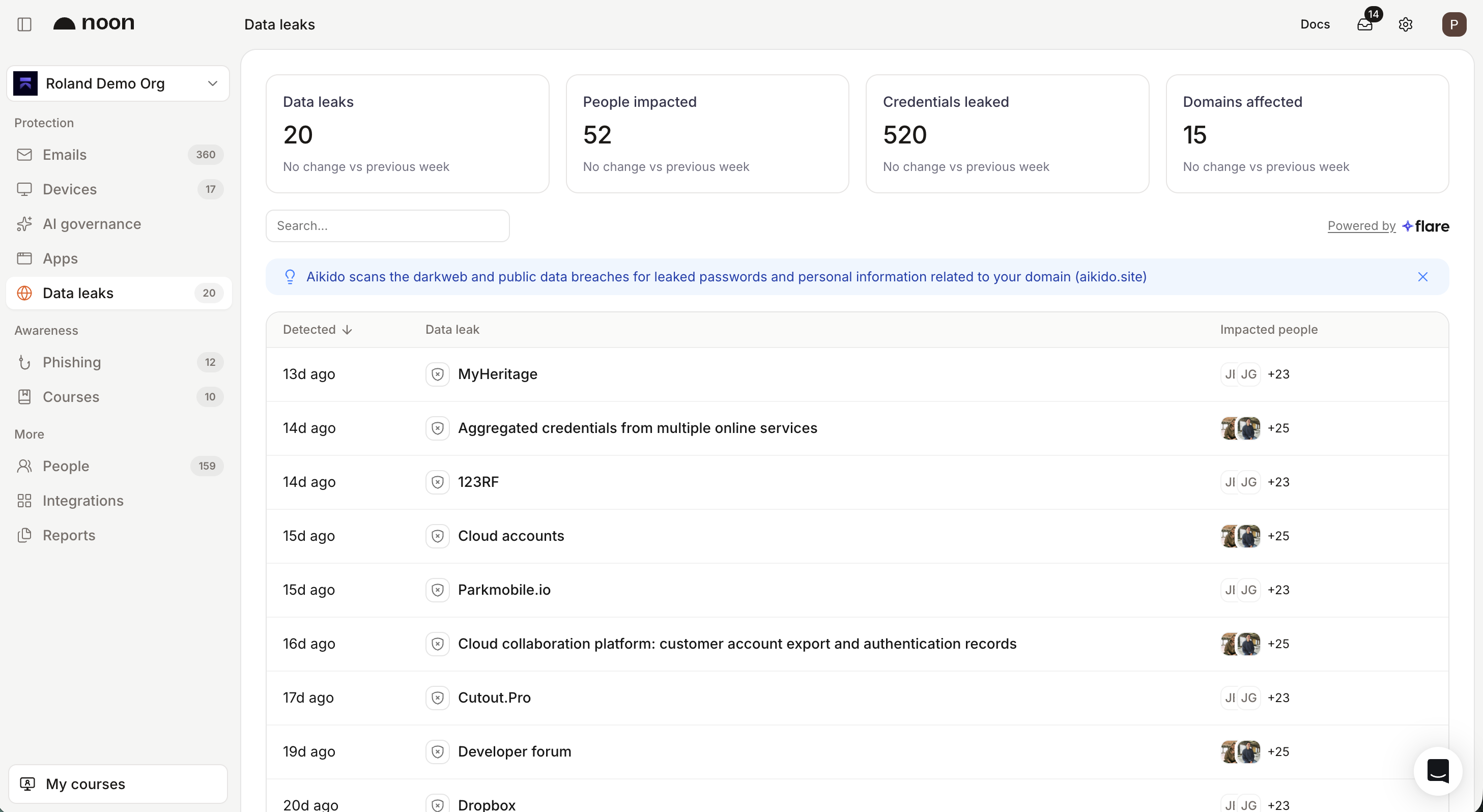
# Data leaks
A leaked work password lets someone sign in as that person. The person may still be using that password.
## How it works
Noon checks leaked passwords for your organization's domain and keeps an incident when the email belongs to an active person. Only an admin can open **data leaks**.
Until you [connect your workspace](https://help.noon.security/getting-started/connect-your-workspace), an admin sees only their own incidents. A banner, **You're only seeing your own leaks**, has a **Connect workspace** button. After you connect, **Date leaks** covers everyone in your workspace.
Incident data comes from [Flare](https://flare.io/), which monitors the open web and the dark web for leaked passwords.
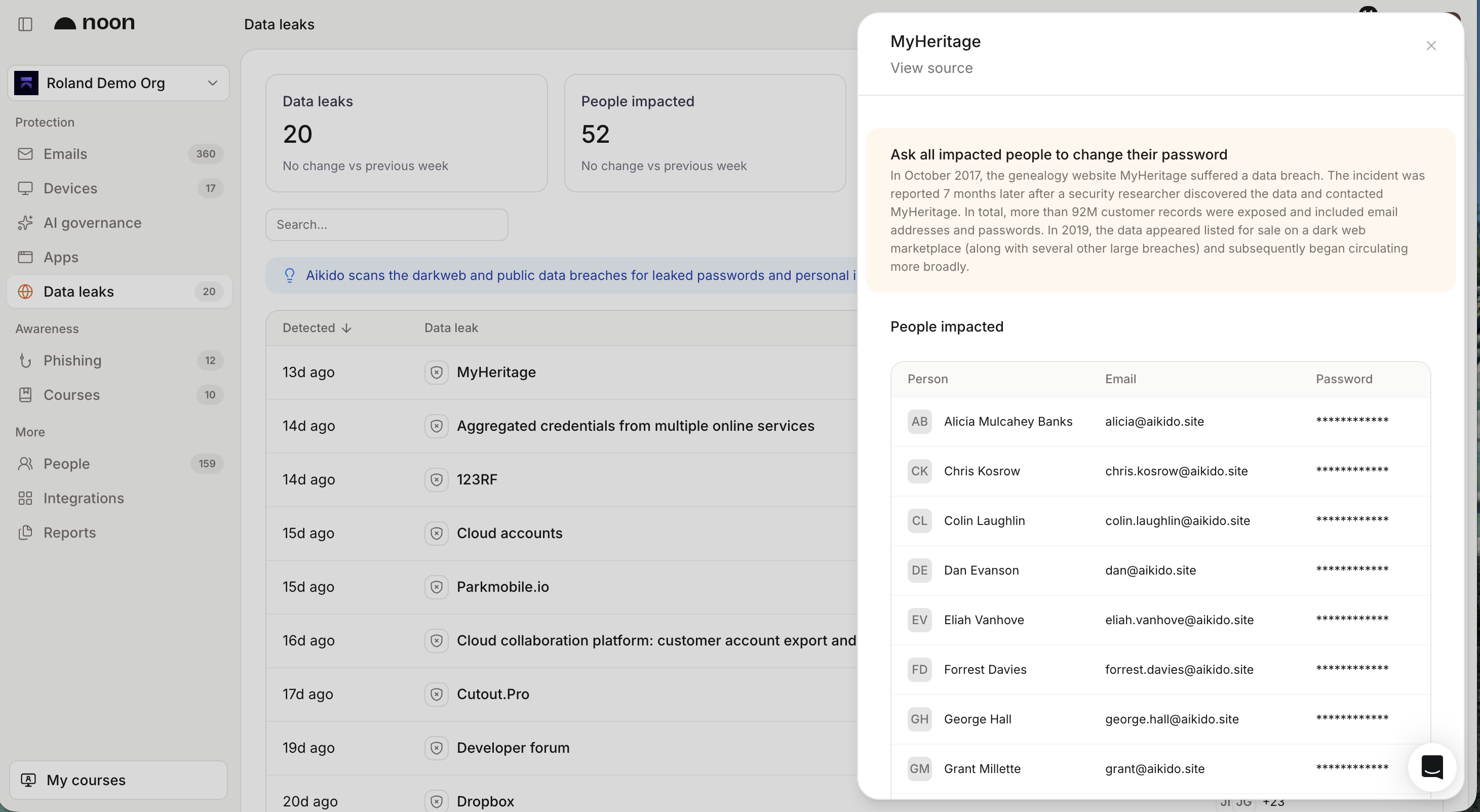
The people affected are the active people whose email matched. **Impacted people** lists them. **People impacted** shows each person, their email, and part of the password. Noon does not show the full password.
**People impacted** counts people. **Credentials leaked** counts leaked passwords, so one person can add more than one password.
**Detected** is when Noon first recorded the incident for your workspace.
**Domains affected** counts the different sites a leaked password was used to sign in to. Noon counts each site once. A password with no site attached is left out.
## Ask affected people to change their password
When a person's work email shows up in an incident, they may still be using that password.
1. Go to **Data leaks**.
2. Click the incident.
3. Ask the people under **People impacted** to change their password.
When the incident includes a description, the drawer leads with **Ask all impacted people to change their password**. That line is a reminder for you. When the incident has a source link, **View source** under the title opens it.
The person hears about it only if you tell them. Noon leaves the password as it is and keeps no record of a change.