# Send diagnostics to support
When Device Protection doesn't work as expected on your device, send a diagnostic report. It shows Noon support what happened on the device, so they can fix the problem faster.
Admins: when support asks for diagnostics, send this page to the employee whose device has the problem.
On the device, Device Protection appears as **Aikido Endpoint Protection**.
## Report a problem from the app
1. Click the Device Protection icon in the menu bar on macOS, or the taskbar on Windows, then **Open Dashboard**.
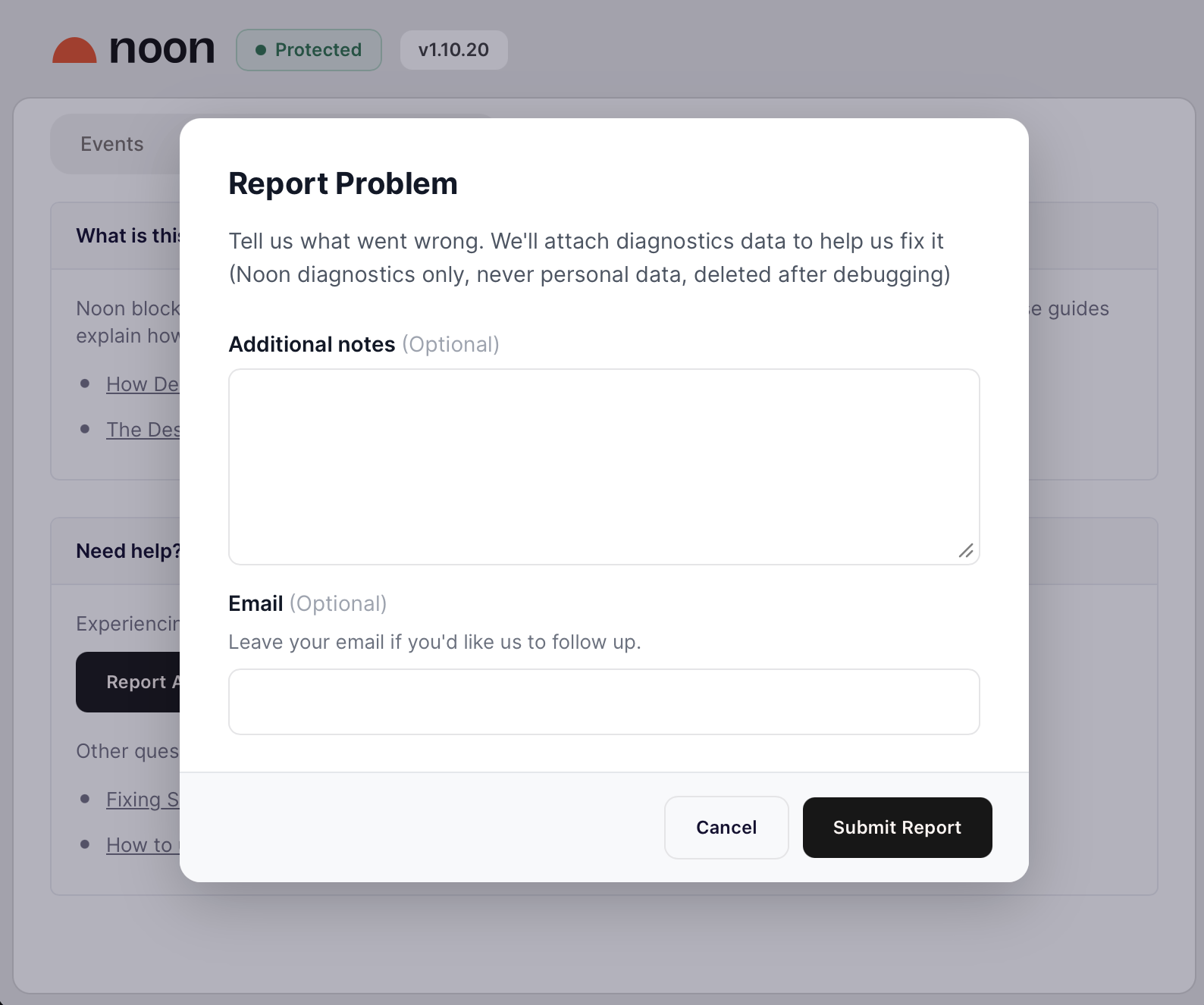
2. Click **Help**, then **Report A Problem**.
3. Describe the problem under **Additional notes**, and add your **Email** if you want support to reply. Both are optional.
4. Click **Submit Report**.
The report holds diagnostics from Device Protection only, never personal data. Noon deletes it once the problem is fixed.
## Run the diagnostics command
If the app doesn't open, run the command for your system. It collects the same diagnostics and uploads them to support.
{% tabs %}
{% tab title="macOS" %}
Run this command in Terminal:
{% code overflow="wrap" %}
```shell
sudo "/Applications/Aikido Endpoint Protection.app/Contents/Resources/scripts/submit_diagnostics"
```
{% endcode %}
{% endtab %}
{% tab title="Windows" %}
Run this command in PowerShell as an admin:
{% code overflow="wrap" %}
```powershell
& "C:\Program Files\AikidoSecurity\EndpointProtection\scripts\SubmitDiagnostics.ps1"
```
{% endcode %}
{% endtab %}
{% tab title="Linux" %}
Run this command in a terminal:
```shell
sudo aikidoctl diagnostics
```
{% endtab %}
{% endtabs %}
## Find the diagnostics zip
If the report or the command can't reach support, the diagnostics zip is still saved on your device. Email it to [support@noon.security](mailto:support@noon.security).
| System | Location |
| --- | --- |
| macOS | `/Library/Logs/AikidoSecurity/EndpointProtection/aikido-endpoint-protection-logs-.zip` |
| Windows | `C:\ProgramData\AikidoSecurity\EndpointProtection\logs\aikido-endpoint-protection-logs-.zip` |
| Linux | `/var/log/aikidosecurity/endpoint-protection/aikido-endpoint-protection-logs-.zip` |