# SMS simulations
An SMS simulation sends your employees a fake text message, such as a blocked bank card or a failed parcel delivery, with a link to tap. It tests whether people stop and think before they act on a message that arrives on their phone, where there is no email address to check.
{% hint style="info" %}
A person receives a text only if their phone number is in Noon. Add numbers in [People and groups](https://help.noon.security/more/people-and-groups) before you launch.
{% endhint %}
## How it works
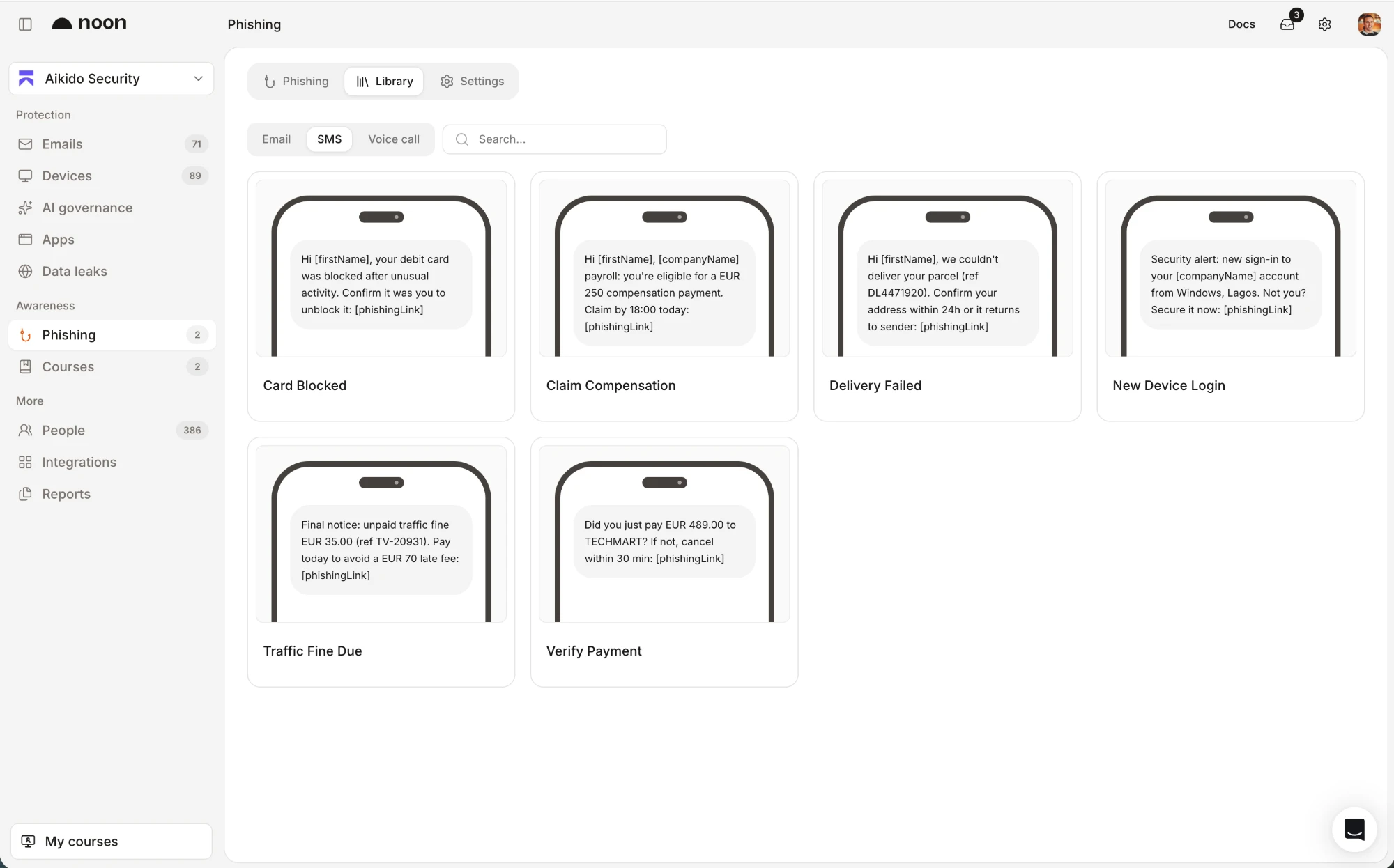
Each SMS template is a short fake message, such as "Card Blocked" or "Delivery Failed". It uses the person's first name, pushes them to act fast, and ends with a link.
Noon sends a random template at a random time within the period you set.
## Test whether people tap a link in a text
Texts that claim a payment, a parcel, or a security problem are a common way to steal a password or a card number. Run an SMS campaign to see who taps before they check.
{% stepper %}
{% step %}
### Open a new campaign
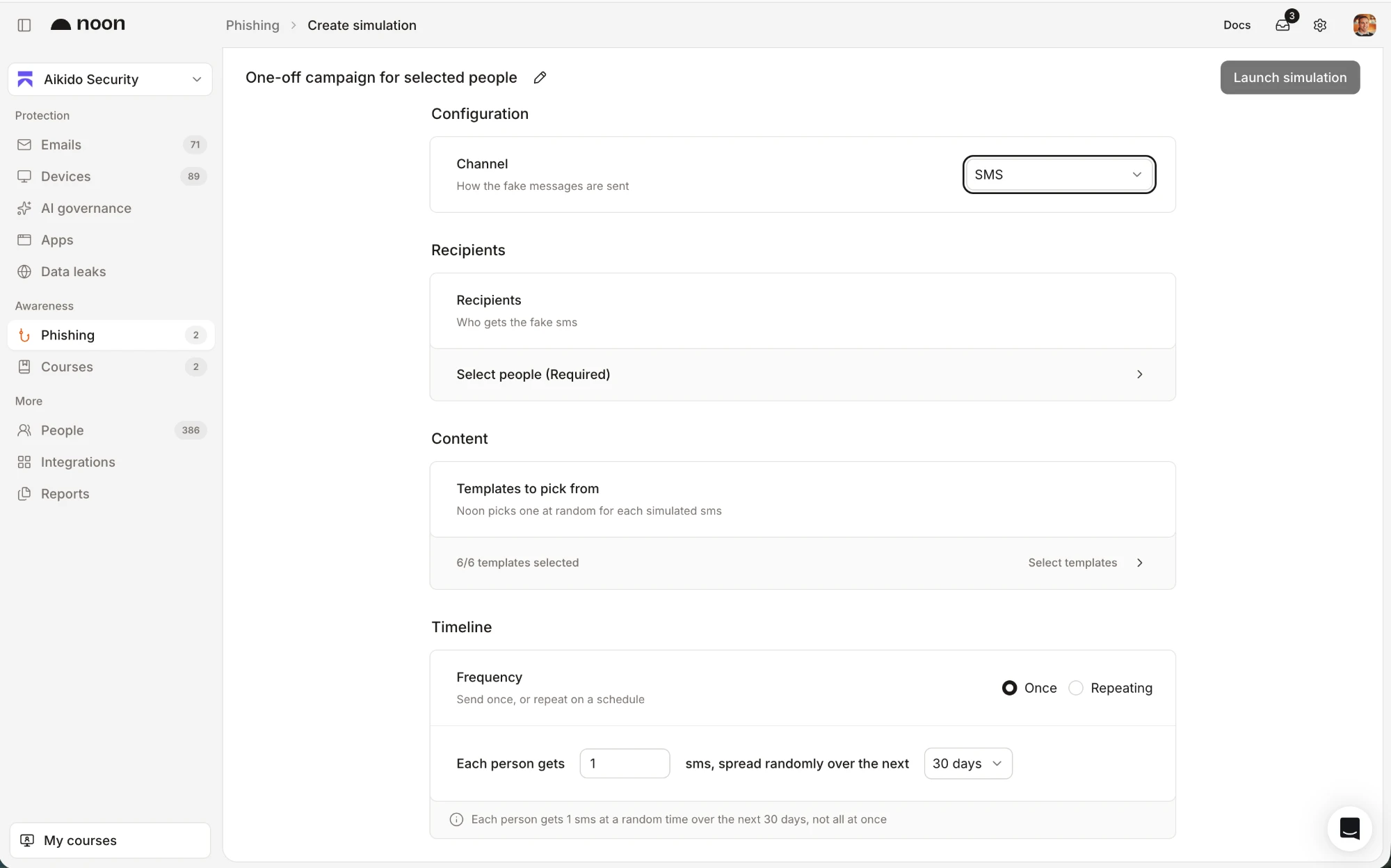
Go to **Phishing** and click **Add campaign**.
{% endstep %}
{% step %}
### Choose the SMS channel
Under **Channel**, choose **SMS**.
{% endstep %}
{% step %}
### Choose who receives it
Under **Recipients**, choose who gets the text.
{% endstep %}
{% step %}
### Pick SMS templates
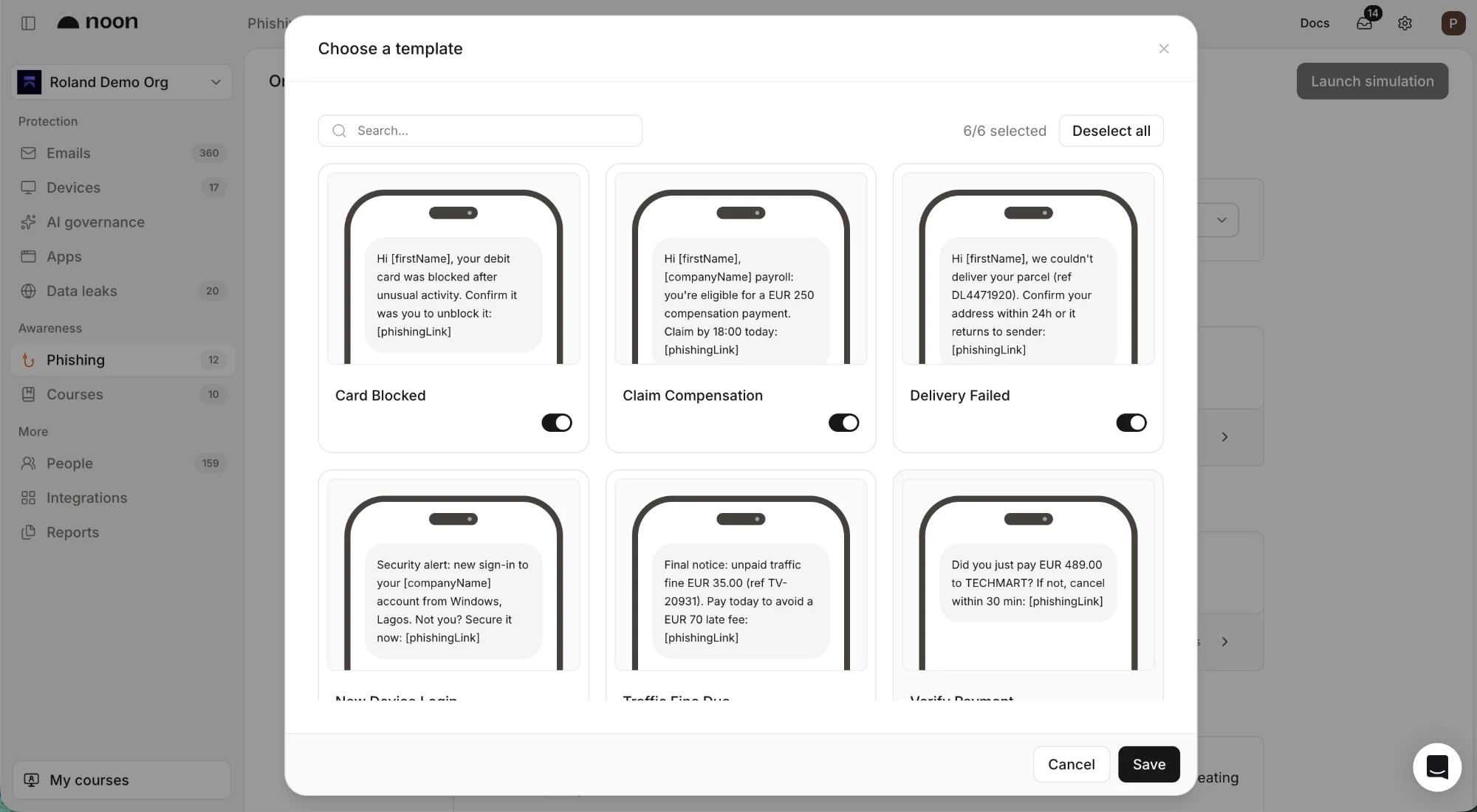
Under **Templates to pick from**, click **Select templates**. Turn off the messages you don't want to send, or click **Deselect all** and turn on the ones you do. Click **Save**.
{% endstep %}
{% step %}
### Choose the schedule
Under **Timeline**, choose **Once** or **Repeating**. Then set how many texts each person gets and over how long. Each person gets texts at random times in that period.
{% endstep %}
{% step %}
### Launch the simulation
{% hint style="warning" %}
After launch you can only rename the campaign. Channel, recipients, templates, and schedule stay as they were.
{% endhint %}
Click **Launch simulation**.
{% endstep %}
{% endstepper %}
## Read the messages before you send them
Each template card shows the full text as it appears on a phone. Read the messages in **Phishing** → **Library** on the **SMS** tab, or in **Select templates** while you build a campaign. Remove any that don't fit your workspace, for example a traffic fine message for people who don't drive.
Messages contain placeholders that Noon fills in for each person:
* **[firstName]**: the person's first name.
* **[companyName]**: the company name.
* **[phishingLink]**: the link the person is asked to tap.