
Security training
What to expect from phishing simulations and security courses at your company.
Your company runs phishing simulations and assigns security courses through Noon. This page explains what to expect, what to do, and where to find your training.
#Phishing simulations
Your company will send simulated phishing emails to your work inbox as a training exercise. They are designed to look convincing. Don't click links, open attachments, or enter your password if one takes you to a sign-in page.
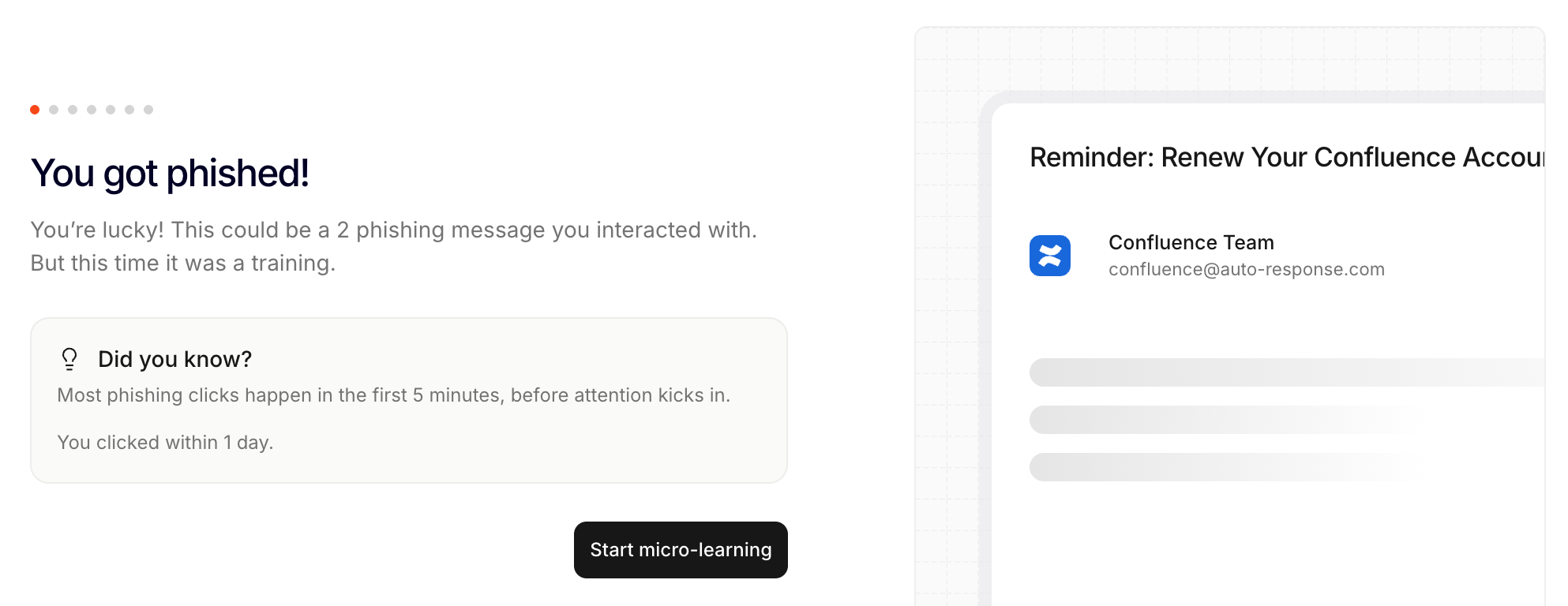
If you fall for a simulation, you will land on a page that tells you the email was a training exercise. A short lesson walks you through what gave it away. There is no penalty.
#Courses
Your company may assign you security courses. When a course is assigned, you will receive an email from notifications@noon.security with a link to open it. The link takes you to app.noon.security.
#Take a course
Open My Courses to find every course assigned to you. The admin who shared this page can send you the link.
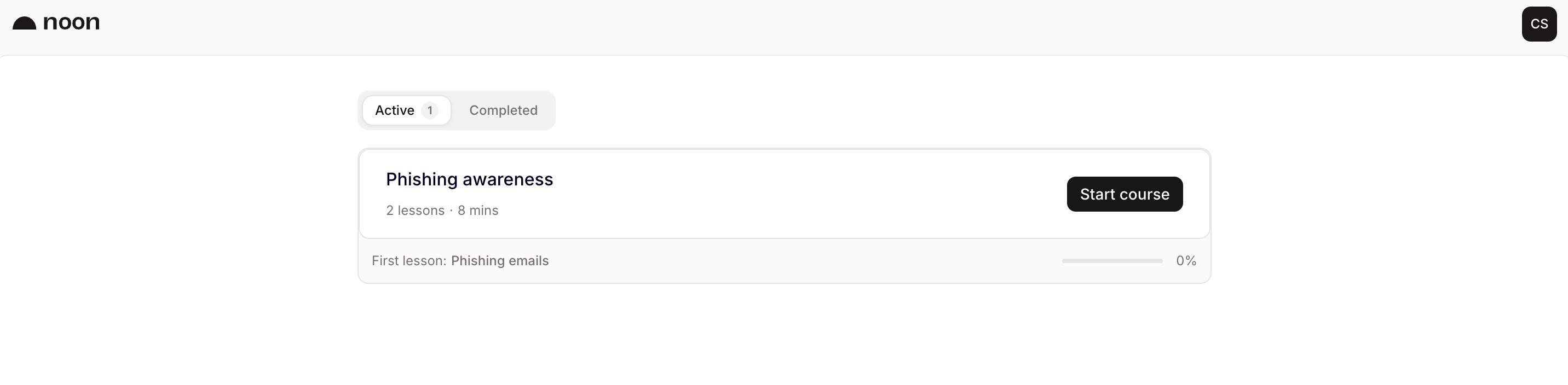
- Active shows courses still to do. A course you haven't started shows Start course. One already in progress shows Continue course.
- Each course lists its name, how many lessons it has, and how long it takes.
- A lesson is made up of steps: reading and quizzes. The lesson shows which step you are on, such as 1/5. Answer the quiz before moving on.
- When you finish a lesson, it confirms Lesson passed or Lesson not passed.
- Completed lists every course you have finished, marked Passed or Failed.