
Public REST API
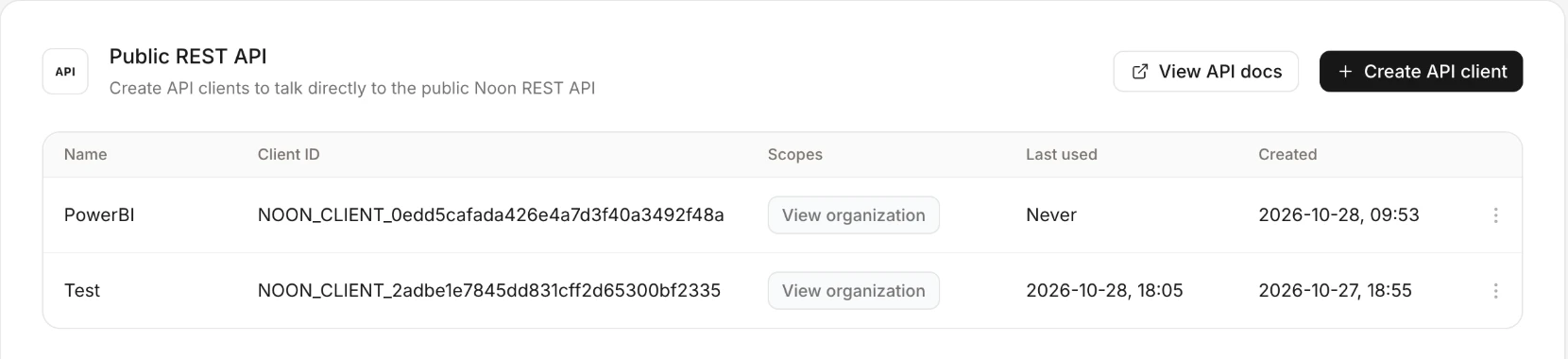
Create API clients so your own systems can read data from Noon.
Create an API client so your own systems can read data from Noon.
#How it works
Each API client has a client ID, a secret, and scopes. View organization lets a client read your organization's name and domain. To request a scope that isn't listed, chat with the Noon team.
A client exchanges its ID and secret for an access token that lasts 1 hour and carries the client's scopes. Client changes are recorded in the Audit log.
#Test a connection from your own system
Before a script or tool relies on Noon, test the connection. The call only reads, so a mistake in the setup changes nothing in Noon.
#Create the client
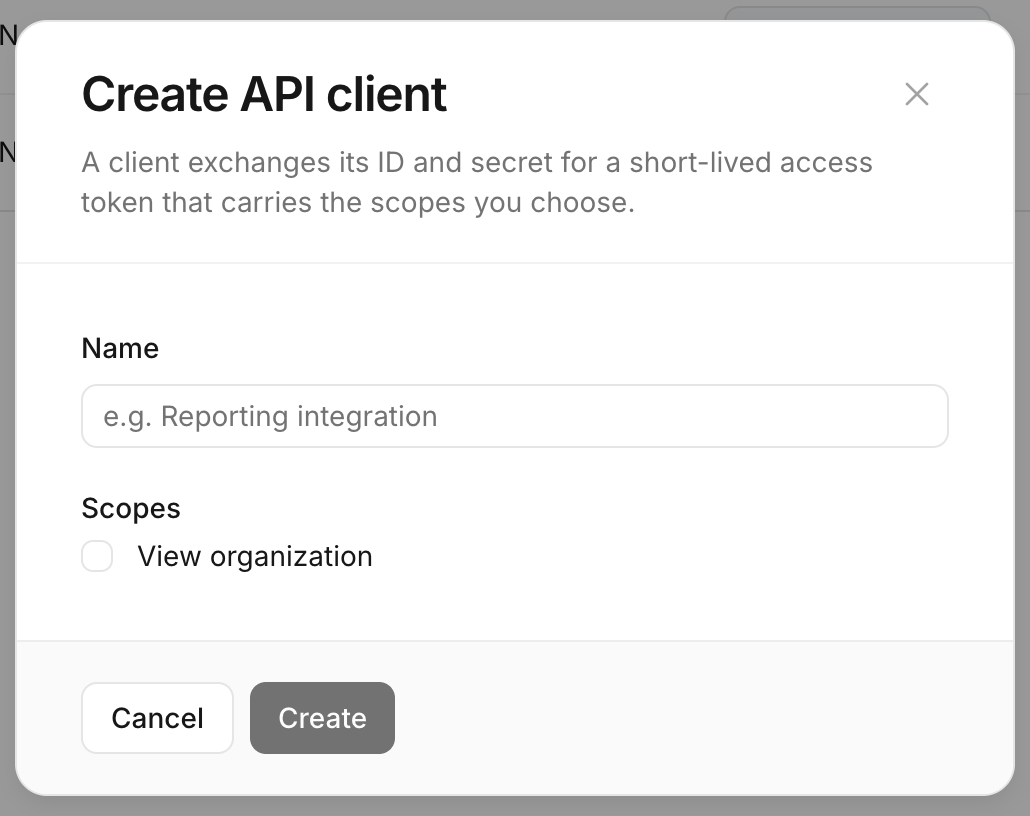
Click Create API client. Type a name under Name, select the scopes the system needs under Scopes, for example View organization, then click Create.
#Save the secret
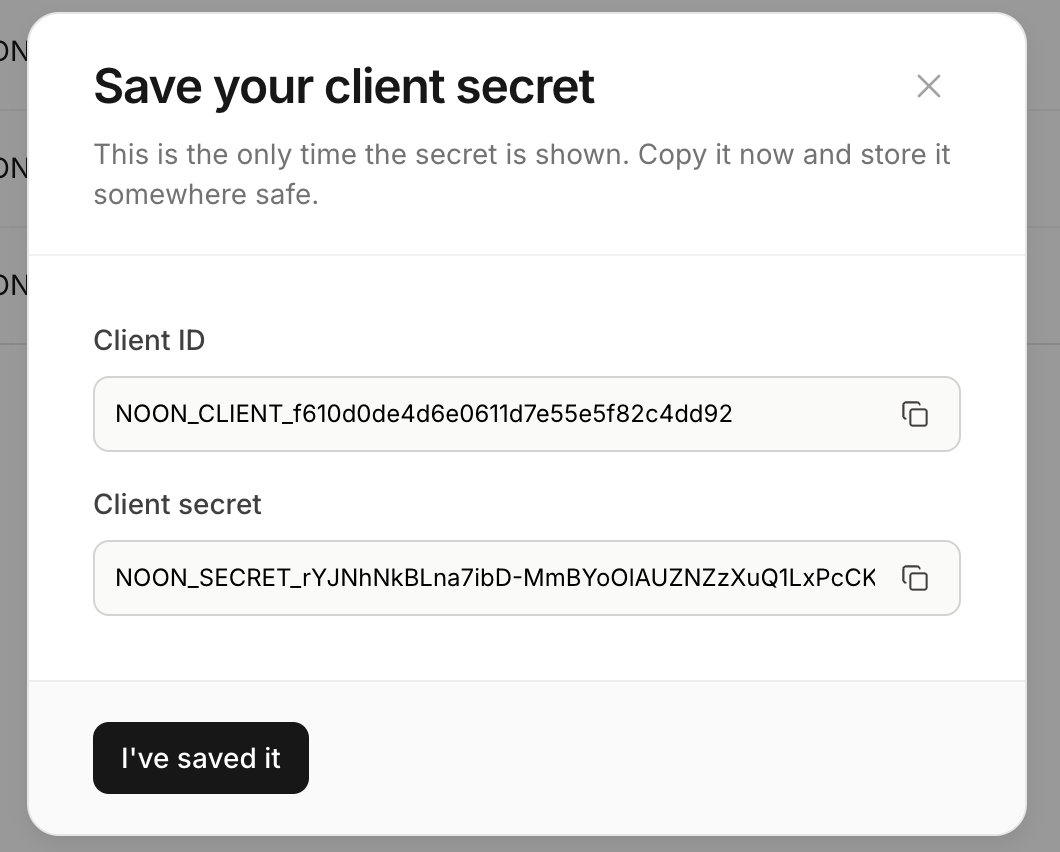
Noon shows the secret once. If you lose it, rotate the secret.
Copy the Client ID and Client secret, then click I've saved it.
#Call the API
Send a
POSTtohttps://app.noon.security/api/oauth/tokenwith the client ID as the username and the secret as the password in an HTTP Basic header, andgrant_type=client_credentialsin the body. Addscopeto ask for fewer scopes than the client holds. Send the returnedaccess_tokenas a bearer token toGET /api/public/v1/organization.The call returns your organization's
id,name, anddomain.The full requests are in the API reference: Get access token and Get organization. You can also click View API docs on the Public REST API page.

#Shut off a system's access
When a secret leaks or a tool is retired, click ⋯ on the client row. Give each system its own client so you can cut off one without breaking the others.
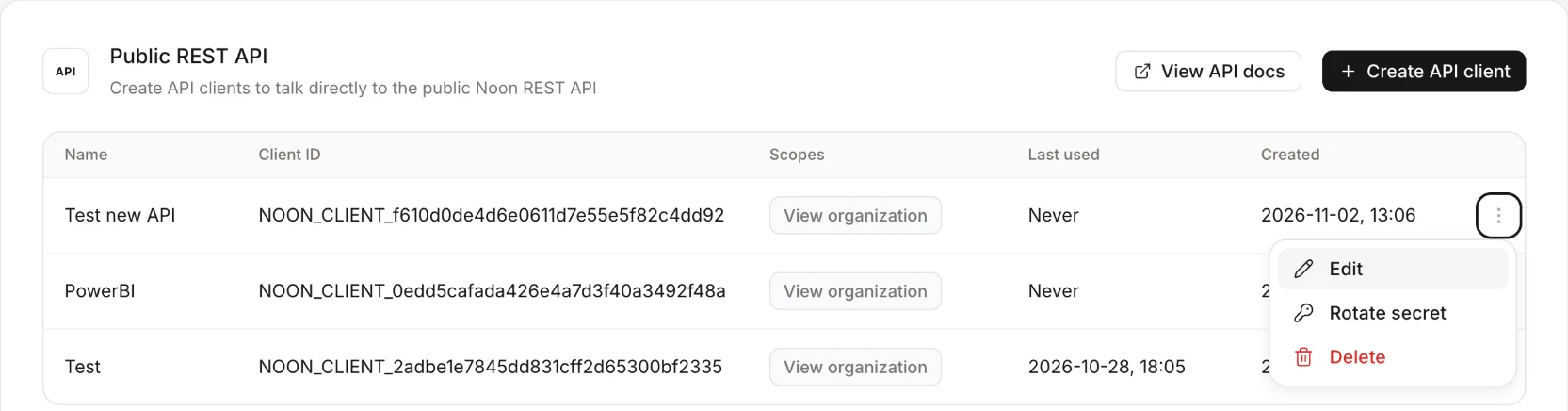
- Rotate secret: for a leak. The old secret stops working at once.
- Delete: for a retired tool. Last used shows which clients nobody uses.
- Edit: change the name or scopes. Tokens already issued keep their old scopes until they expire.
Deleting a client cuts off every system that uses it. This can't be undone.