
Campaign results
Read phishing campaign results and each employee's activity.
Open a campaign on the Phishing tab when you need to follow up with people the simulation caught. The tab shows Attacks sent, Opened, Phished, and Reported rates for all campaigns, and lists each campaign with its Status (Launch, In progress, or Completed), People, and Phished.
Phished counts simulations that caught someone. Opening a message and being caught are separate counts. A person can open the mail and still report it, or leave it alone.
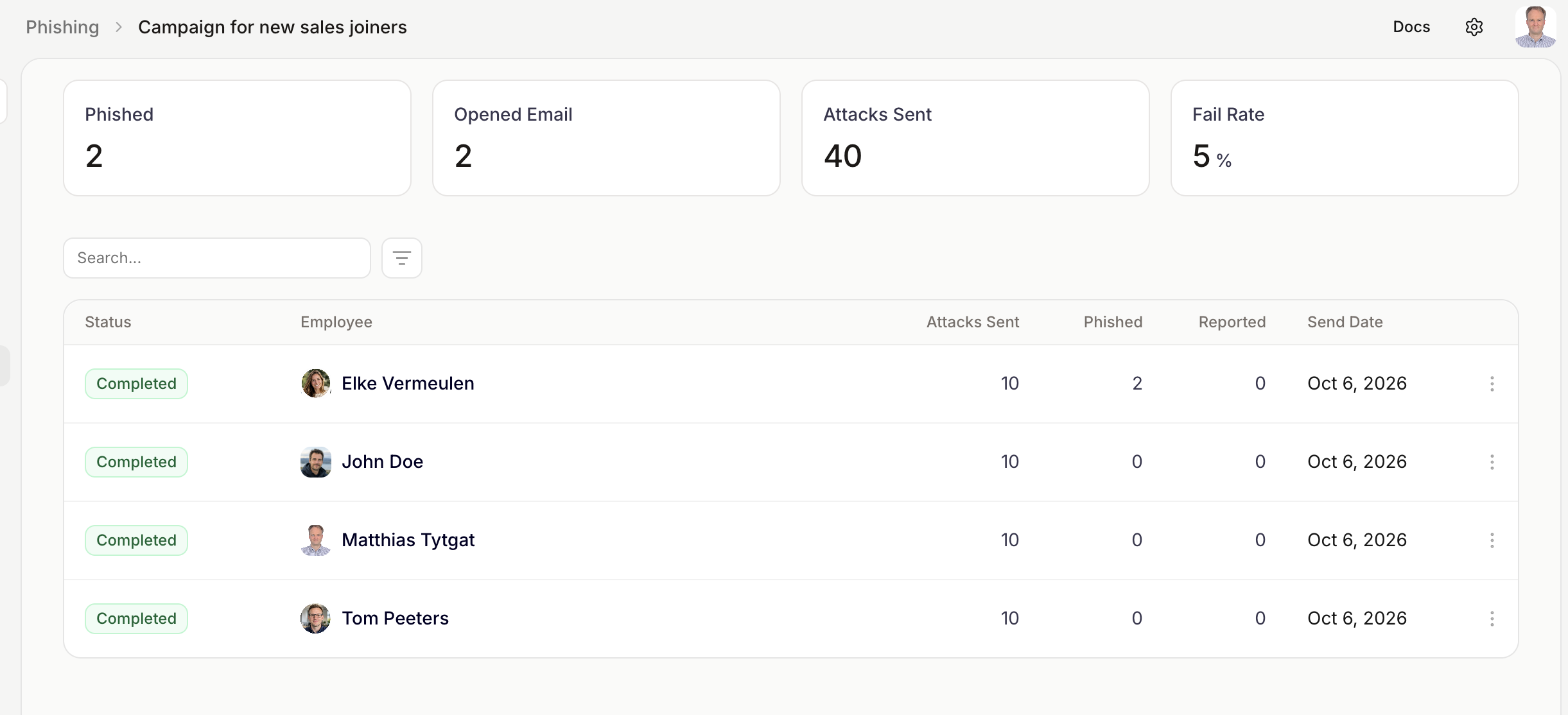
#Campaign totals
- Phished: simulations that caught someone.
- Opened email: simulations whose message was opened.
- Attacks sent: simulation messages Noon has sent.
- Reported: simulations the person reported.
- Phished rate: the share of simulations that caught someone.
#Employees
The table lists everyone in the campaign.
- Latest status: the person's most recent step, for example Scheduled, Opened, Reported, or Credentials provided.
- Person: the person the simulation was sent to.
- Attacks sent: how many simulations that person has received.
- Phished: how many of those simulations caught them.
- Reported: how many they reported.
- Send date: when the next simulation is scheduled, when one is still due.
Search the table, or filter it by Latest status or by Phished (Never or At least once).
#Employee detail
Click an employee to open Activity. The drawer shows each simulation sent to them, a preview of the message, and a timeline of what they did.
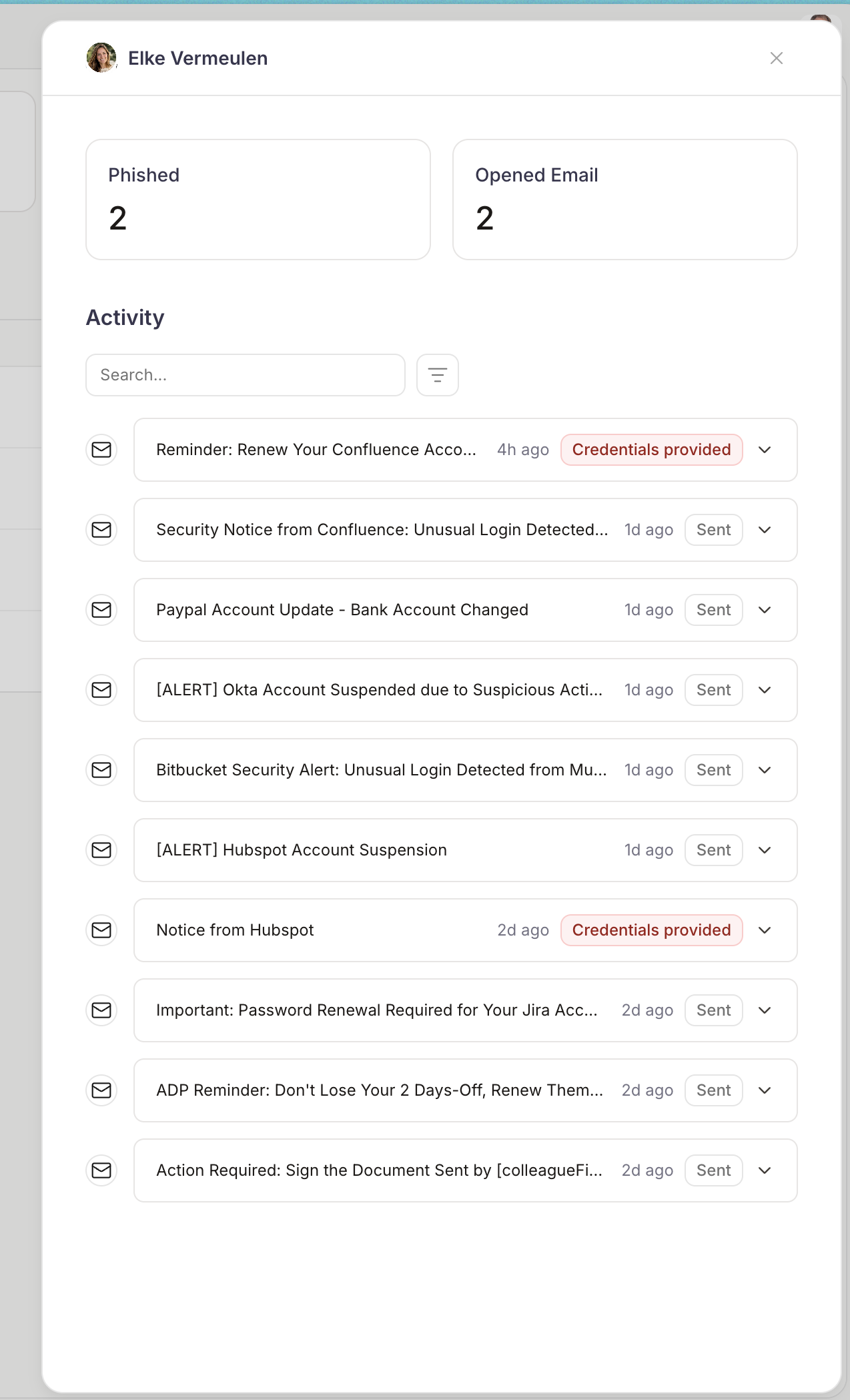
- Attack Sent: Noon sent the simulation.
- Opened: they opened the message.
- Clicked/QR Code: they followed a link or scanned a QR code.
- Attachment Opened: they opened an attachment.
- Submitted Credentials: they entered a password on the fake sign-in page.
- Replied: they replied to the simulation.
- Reported: they reported the message.
Filter the activity list by Sent, Opened, Phished, Reported, Replied, Link clicked, Attachment link clicked, QR code scanned, Credentials provided, or Course completed. Reporting uses the same report button as real suspicious mail. See Employee reports. A reported simulation shows up on the campaign.