
SMS simulations
Test whether people tap a link in a fake text message, and read the messages before they go out.
An SMS simulation sends your employees a fake text message, such as a blocked bank card or a failed parcel delivery, with a link to tap. It tests whether people stop and think before they act on a message that arrives on their phone, where there is no email address to check.
A person receives a text only if their phone number is in Noon. Add numbers in People and groups before you launch.
#How it works
Each SMS template is a short fake message, such as "Card Blocked" or "Delivery Failed". It uses the person's first name, pushes them to act fast, and ends with a link.
Noon sends a random template at a random time within the period you set.
#Test whether people tap a link in a text
Texts that claim a payment, a parcel, or a security problem are a common way to steal a password or a card number. Run an SMS campaign to see who taps before they check.
#Open a new campaign
Go to Phishing and click Add campaign.
#Choose who receives it
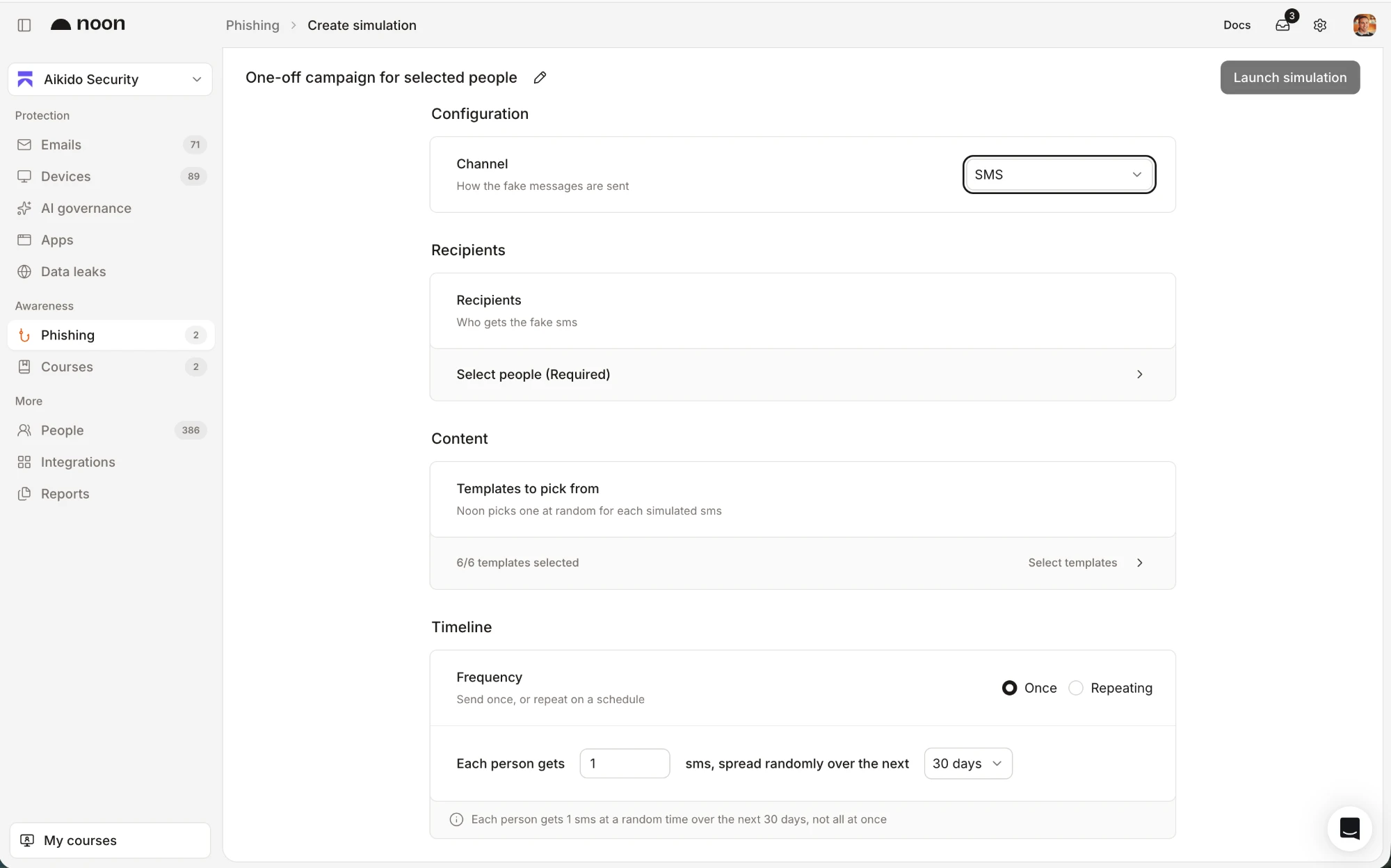
Under Recipients, choose who gets the text.
#Pick SMS templates
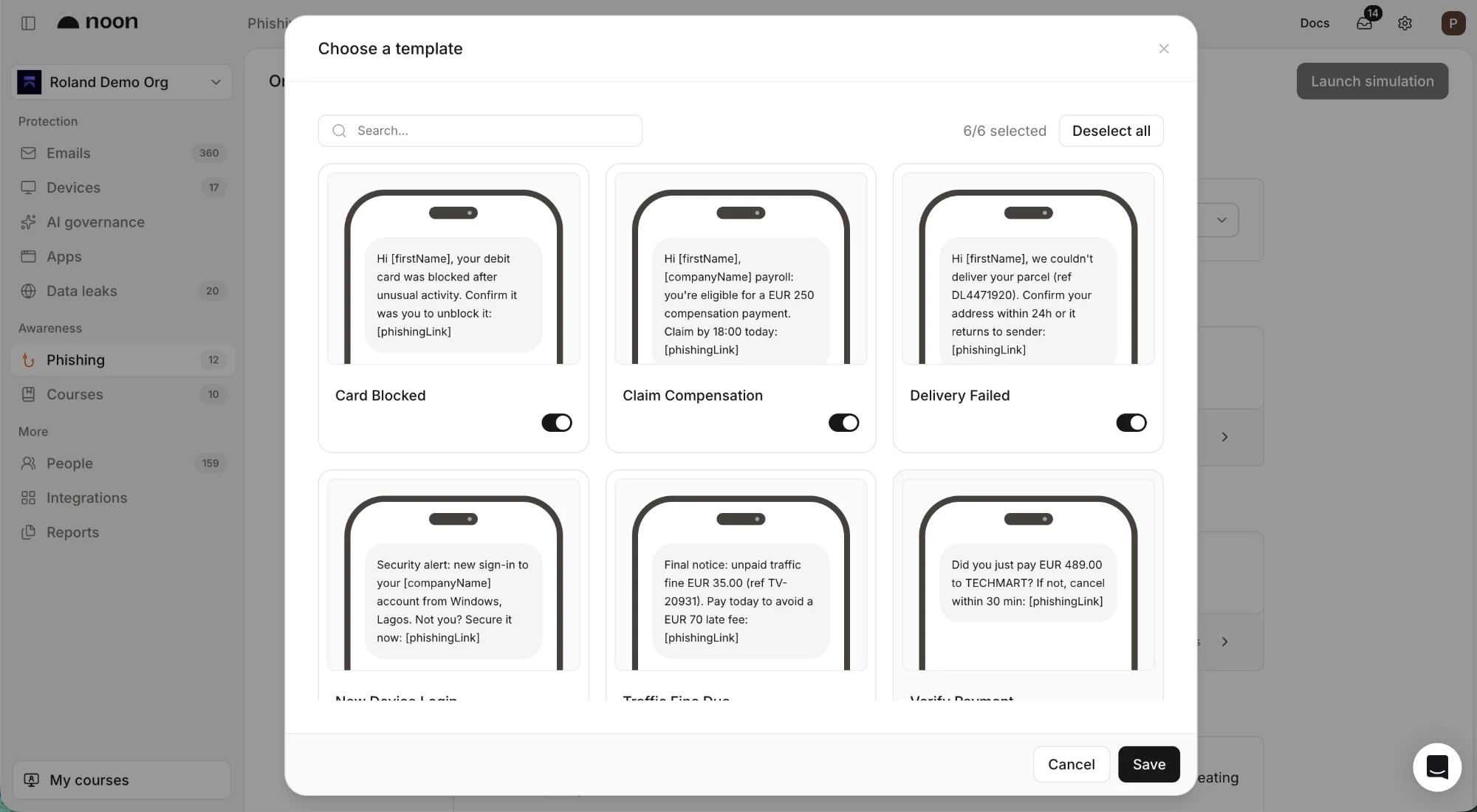
Under Templates to pick from, click Select templates. Turn off the messages you don't want to send, or click Deselect all and turn on the ones you do. Click Save.
#Choose the schedule
Under Timeline, choose Once or Repeating. Then set how many texts each person gets and over how long. Each person gets texts at random times in that period.
#Launch the simulation
After launch you can only rename the campaign. Channel, recipients, templates, and schedule stay as they were.
Click Launch simulation.
#Read the messages before you send them
Each template card shows the full text as it appears on a phone. Read the messages in Phishing → Library on the SMS tab, or in Select templates while you build a campaign. Remove any that don't fit your workspace, for example a traffic fine message for people who don't drive.
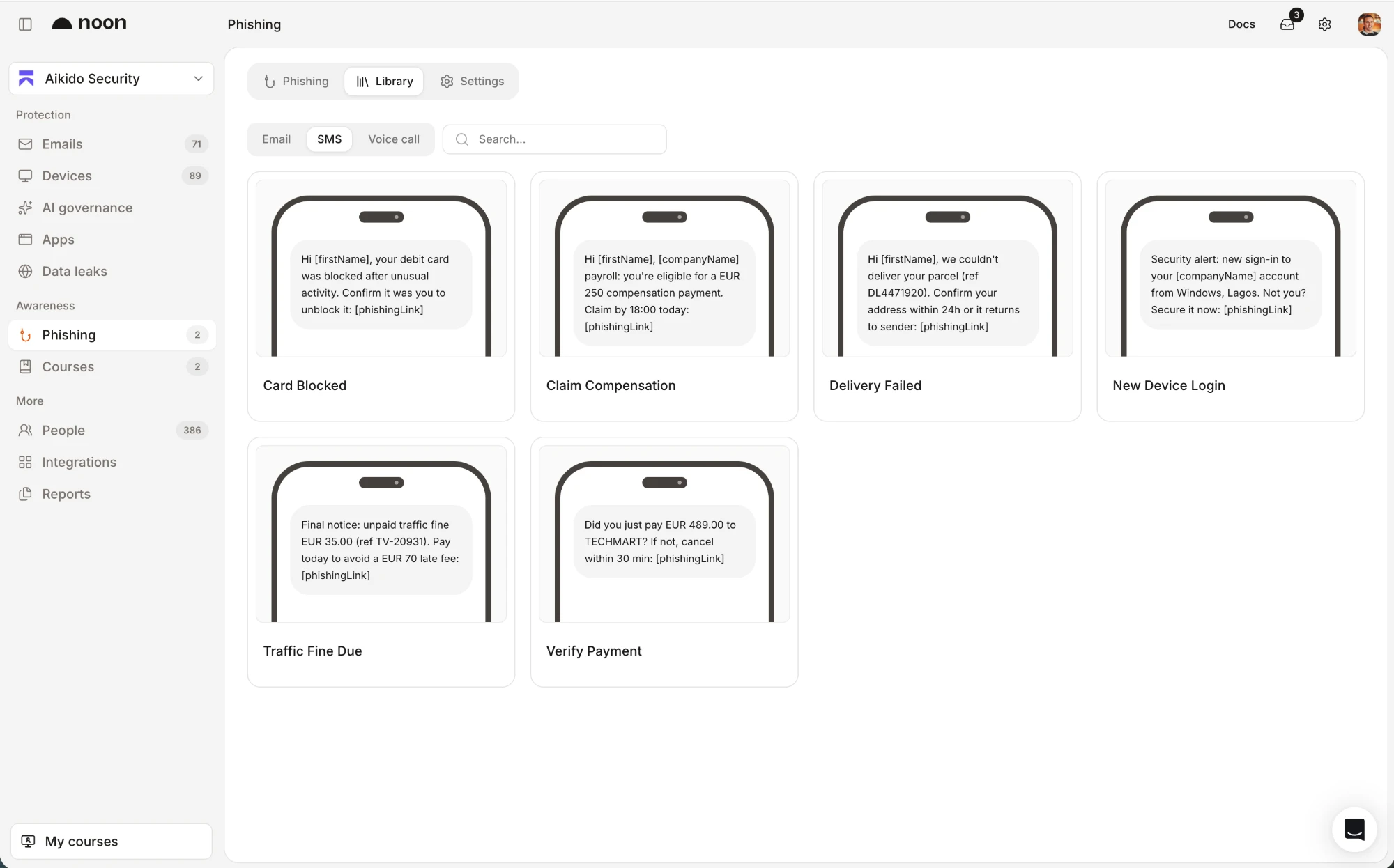
Messages contain placeholders that Noon fills in for each person:
- [firstName]: the person's first name.
- [companyName]: the company name.
- [phishingLink]: the link the person is asked to tap.