
Email Protection
How Noon protects your organization's email, from the first scan through review.
Email Protection scans connected mailboxes for phishing, business email compromise, fake sign-in pages, and malware. Flagged messages show up in Noon, where you can review them and, with permission to manage mail, move them in the recipient's mailbox.
Connecting Google Workspace gives Noon permission to read and move mail. Microsoft 365 starts read-only, and Noon asks for permission to change mail when you move a message. See Review flagged email.
#How protection works
- Connect a mailbox or your whole workspace. See Connect your workspace.
- Noon scans the most recent messages, then keeps watching for new mail.
- Malicious mail lands in Threats. Suspicious mail lands in Spam.
- Open a message, read why Noon flagged it, and choose what to do with it. See Review flagged email.
#Review what the scan found
The Emails page opens while the first scan is running. Results appear as messages finish. Malicious mail is in Threats. Suspicious mail is in Spam. Open a message and decide what happens to it. See Review flagged email.
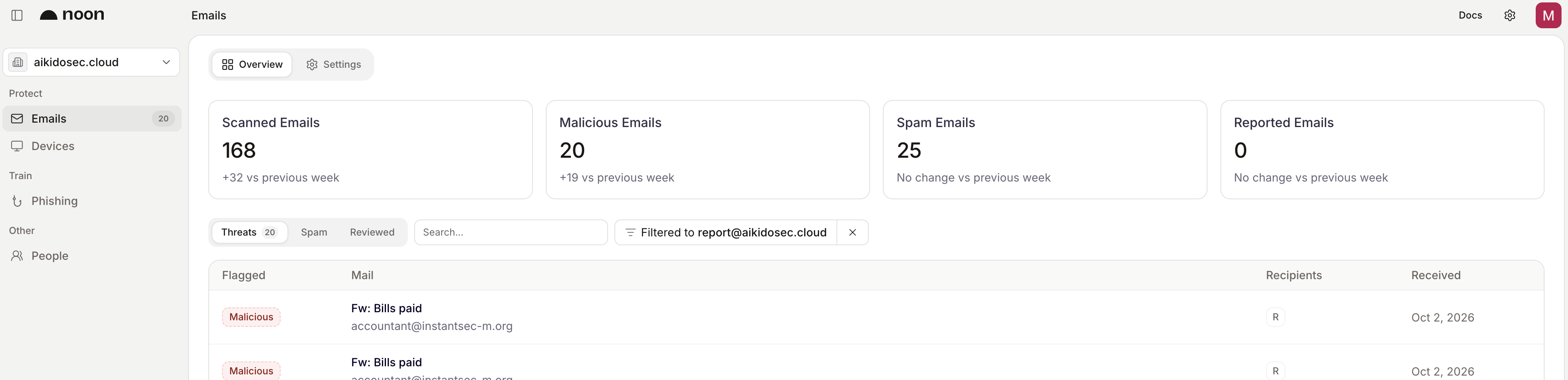
Flagged mail is grouped into Threats and Spam.
#What the scan covers
The first scan covers the most recent messages: up to 1,000 per mailbox and 10,000 per connection. The limit is a count of messages, so the oldest message in that set can be any age. The scan stops early once it has found 20 threats.
When that pass finishes, Noon keeps watching the mailbox. New mail is picked up as it arrives, for both Gmail and Microsoft 365.
The Emails page opens while the first scan is running. Results appear as messages finish.
#What Noon stores
Messages that still need a decision stay available so you can review the explanation, the preview, the headers, and the links and attachments.
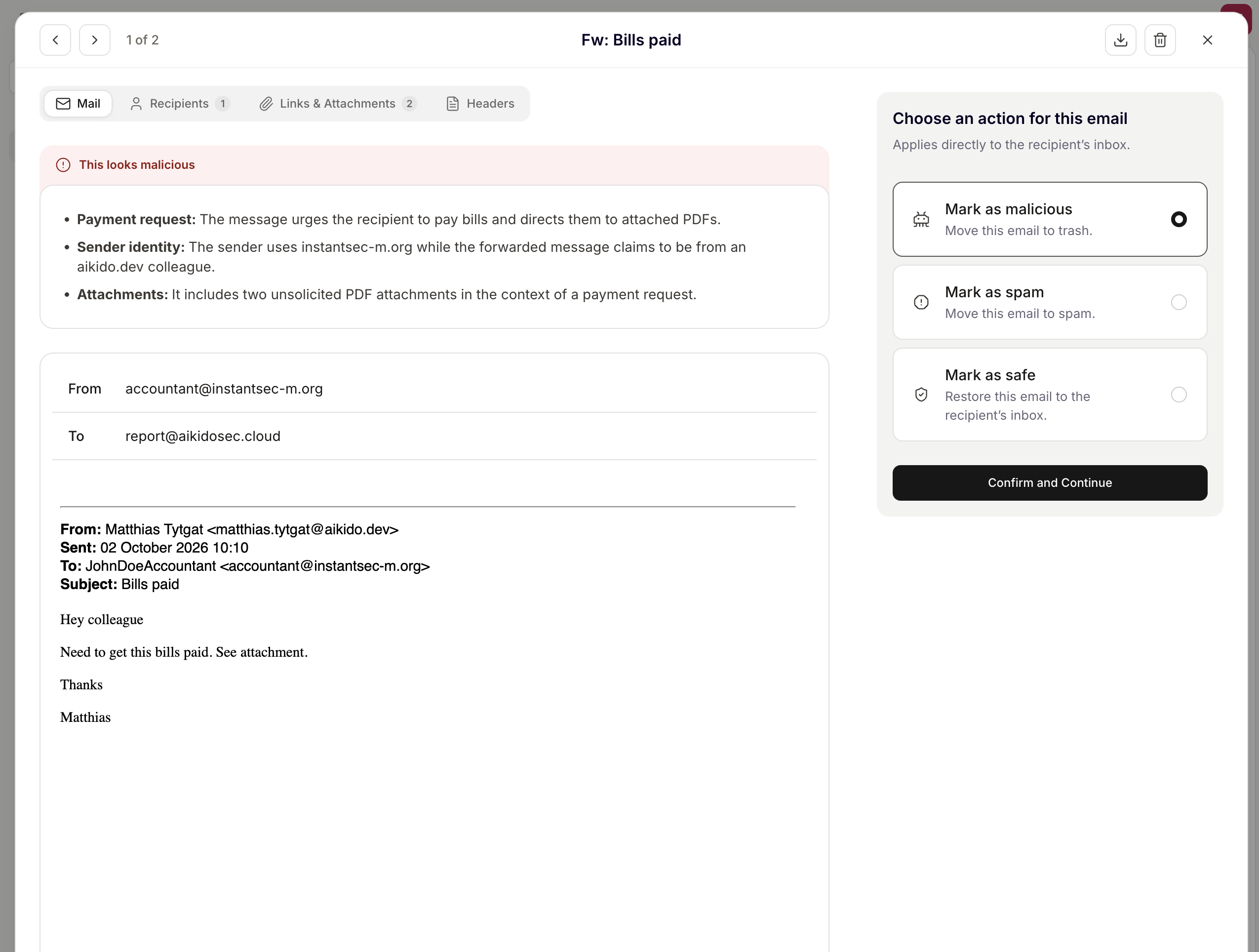
Open a message to read why Noon flagged it.
Noon keeps malicious mail so you can see why it was flagged. Safe mail is not saved. The verdict and the overview counts remain. Safe mail does not appear in the Threats, Spam, or Reviewed queues.
What Noon reads, and what you see, is in What data Noon can see.