
Warning banner
Noon adds a warning banner to dangerous mail in Gmail, so employees can report it or mark it safe.
When Noon is highly confident that a message is malicious, it adds a warning banner to the top of that message in the employee's Gmail inbox. The banner tells the person not to click or reply, and gives them 2 options. It is on by default. Outlook mail doesn't get a banner.
The banner needs Noon's permission to change mail in Google Workspace. Connecting Google Workspace gives it. See Google Workspace onboarding.
#Warn employees before you review
When a dangerous message reaches an inbox, Noon doesn't wait for you to review it. The banner reaches the employee at the moment they open the message, and lets them report it in one click. See How it works.
#How it works
Noon adds the banner after it scans a new message and finds it malicious with high confidence. The banner says "This email is likely phishing" and tells the person not to click or reply. It has 2 options:
- Looks safe: removes the warning from that message. It doesn't change Noon's verdict, and it doesn't trust the sender.
- Report email: reports the message to Noon.
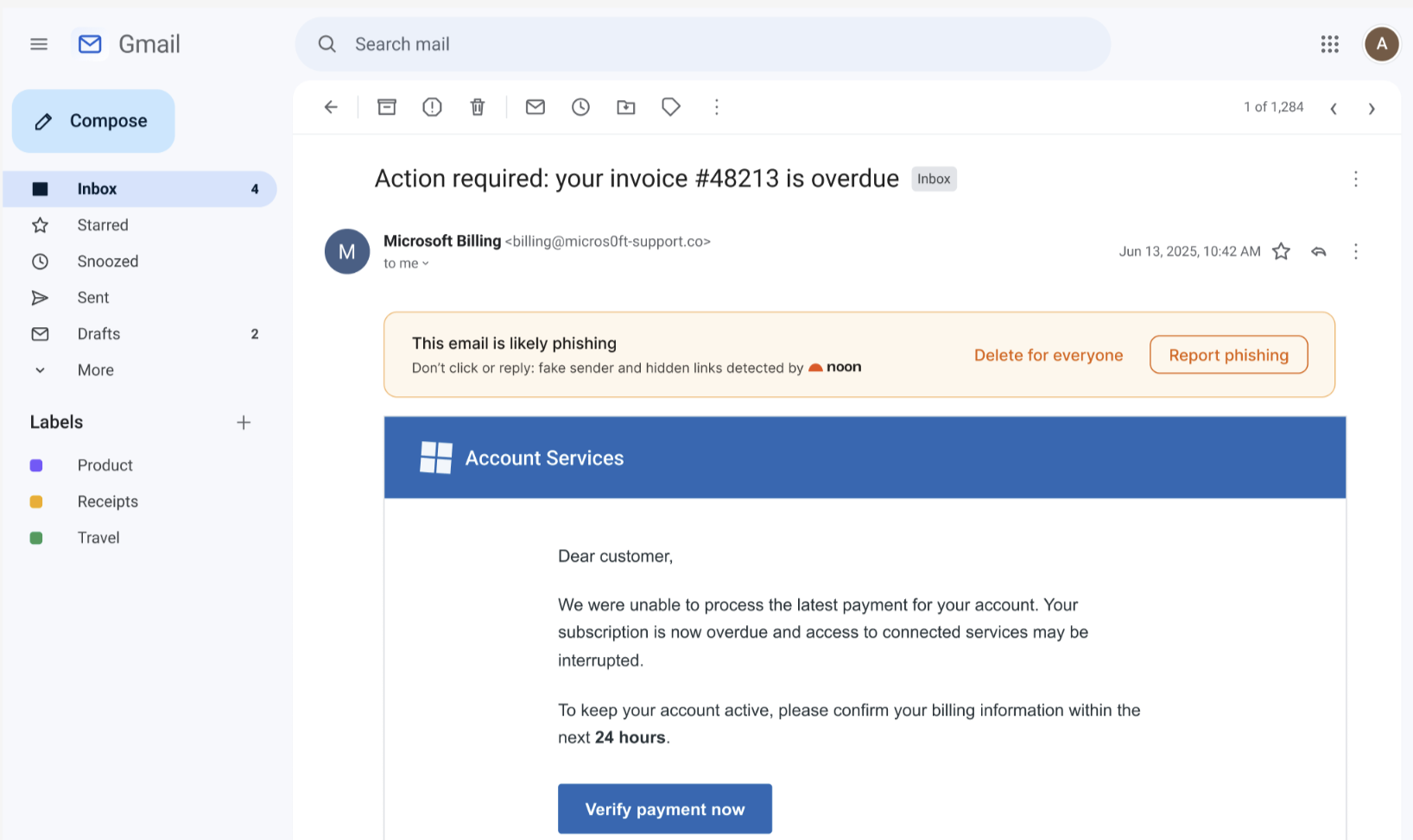
Both options open a Noon page. The employee signs in with the Google account that received the message to confirm. Only the person who received the message can use them.
In Noon, a message with a banner shows a Flagged in employee inbox tag.
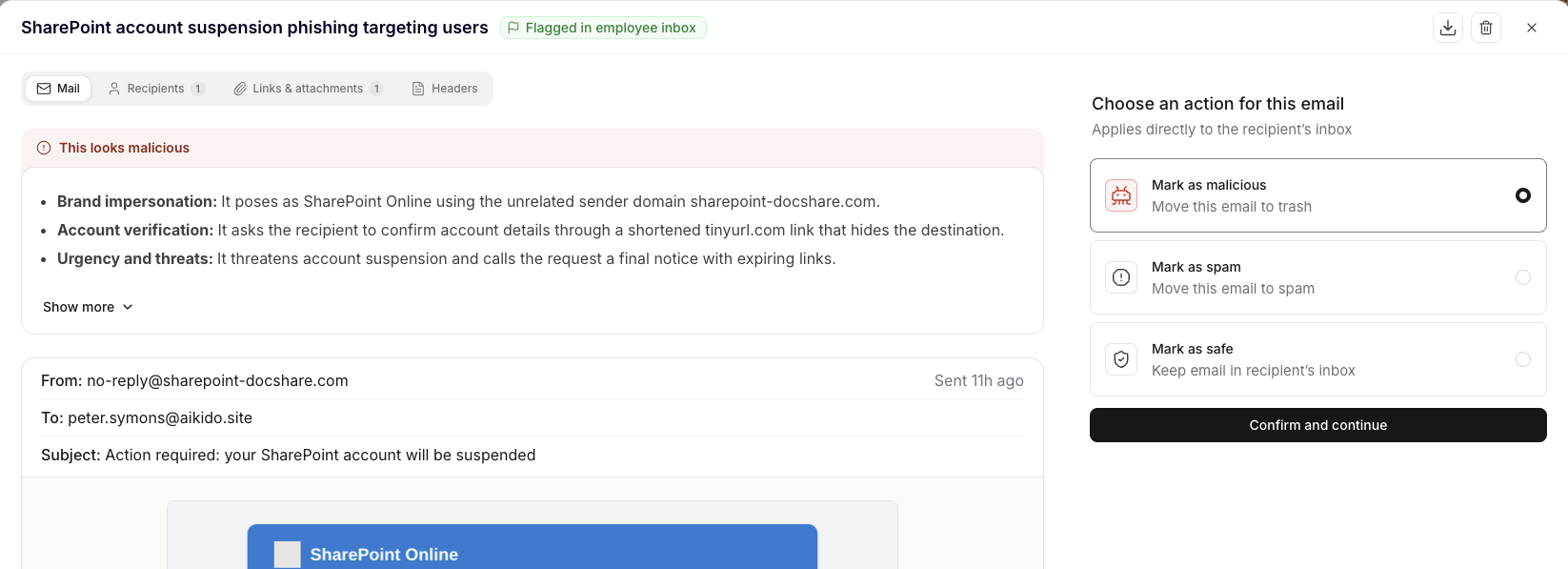
When an employee reports the message, Noon shows it as Reported and who reported it, and the Reported emails counter on Emails goes up. Noon doesn't send a notification. See Employee reports.
When Noon doesn't add a banner
Noon skips these messages:
- Mail from the first scan after you connect. Only new mail gets a banner.
- A message you already marked safe.
- A message in spam or archived, and signed or encrypted messages, because Noon can't change them.
Looks safe stops working once you review the message or its verdict changes. Noon then says the warning can't be removed.
In Gmail, mail with a banner carries the Noon Warning label.