
Report by forwarding
Let employees report a suspicious message by forwarding it to a flag address, and set up the flag mailbox.
Employees report a suspicious message by forwarding it to a flag address. Noon gives each of your company domains its own address. Forwarded messages are scanned and appear in Noon for review. Forwarding doesn't work until you add the address as a mailbox on your domain.
#Set up the flag mailbox
#Open the flag mailbox
Go to Emails → Settings. Under Manual reporting, click Dedicated flag mailbox.
#Turn it on
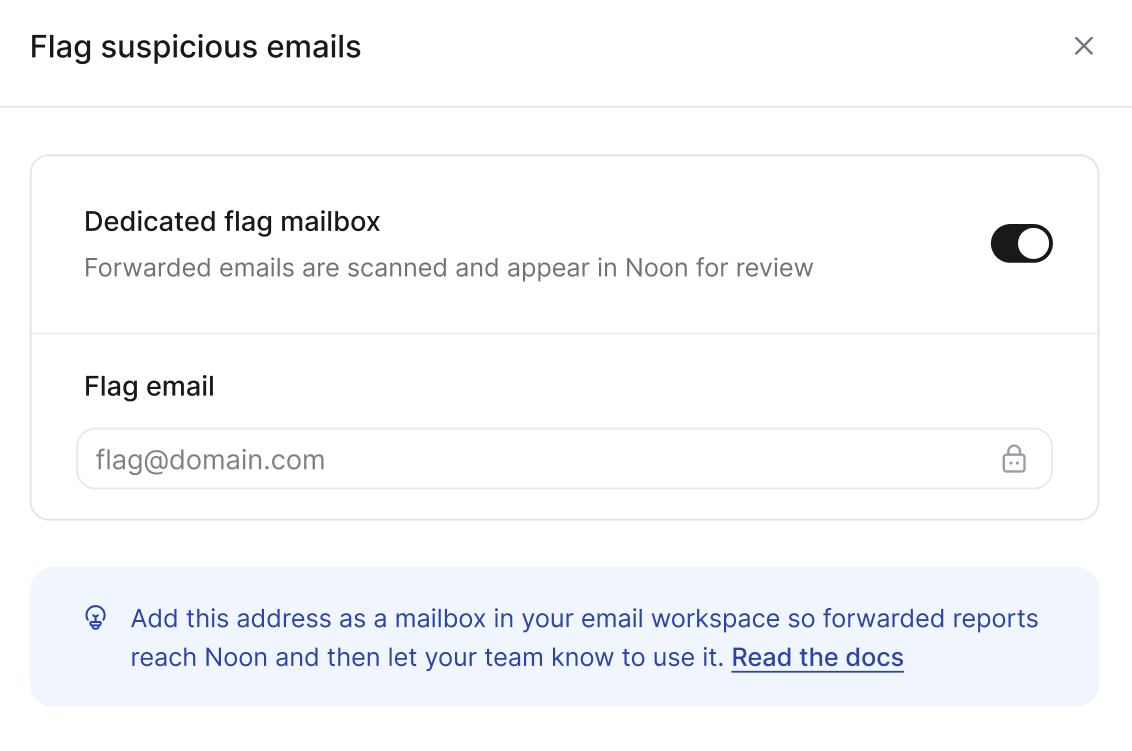
In the Flag suspicious emails panel, turn on Dedicated flag mailbox. It is off until you do.
#Add the address as a mailbox
Copy the Flag email for each domain. Each one is
flag@followed by your domain, for exampleflag@company.com. You can't change the address. In your email workspace, add each address as a mailbox on its domain.#Tell your employees
Ask employees to forward suspicious mail to their domain's flag address.
#Check that it works
Forward a suspicious test message to the flag address. It appears in Noon as Reported, with the name of the person who forwarded it. See Employee reports.